
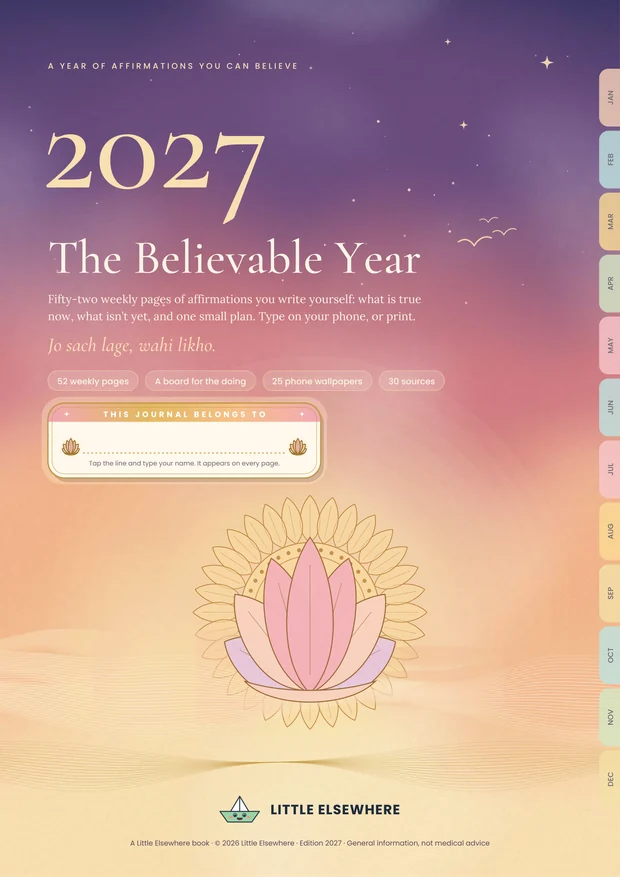
The Believable Year 2027: an affirmation journal you can believe
Jo sach lage, wahi likho.
Most affirmation books ask you to repeat “I am rich, I am loved” until it comes true. On a low day that can make you feel worse, and the research says so. This one asks for ten minutes a week. You write down something that is true now and something that isn’t yet, make a small plan, and thank somebody. Type it on your phone, or print the pages you love.
2027 के लिए एक सच्ची डायरी। हर हफ़्ते बस दस मिनट। फ़ोन पर भरें, या प्रिंट करें।
Why this one is different
No one here will ask you to repeat “I am…”
In a well-known study, people repeated “I am a lovable person” sixteen times. Those who already felt good about themselves felt a little better. Those with low self-esteem felt worse. Most affirmation products are built on exactly that kind of line.
So every week this book asks for something you can believe: what is already true, what isn’t yet, an “if this, then I will” plan, and a thank-you note that you send to the person. Each of those has research behind it, and all 30 sources are listed inside. The effects are small, and I would rather tell you that than sell you a miracle.
It is for you if
- “Positive thinking” books have felt hollow to you
- You have ten minutes a week, not an hour a day
- You would rather type on your phone than carry a diary
It is not therapy. If it’s more than a bad day, Tele MANAS is free on 14416.
Wherever you are
A journal that fits in your pocket
No diary to pack, nothing to forget at home. Once it is downloaded, it opens without the internet: on the metro, on a train, on a flight, at your mother’s. And the day you want paper, print the pages you love. When the year is over, there is no diary to store, lose or throw away: save it once to your Drive, your email or your phone, and your 2027 is still there to reread years from now.
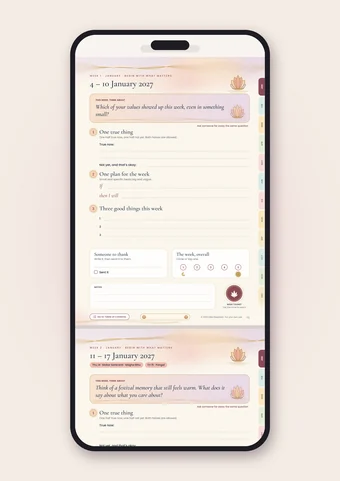 On your phone
Tap any line and type. It saves into your copy and travels with you. A free PDF app that fills forms is all you need.
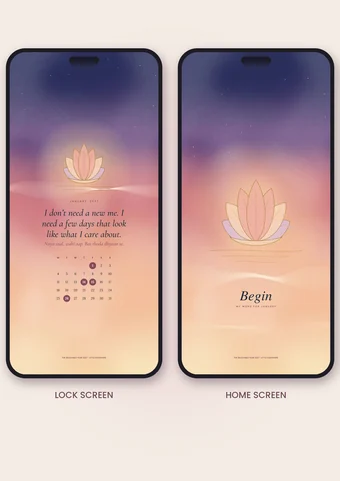 On your lock and home screen
A new pair every month: a line worth reading each time you check the time, and a quiet home screen with one word. Open, screenshot, set.
On paper, if you likePrint any page on A4: the year calendar for the fridge, the weekly pages for a ring binder, the board for your cupboard door.
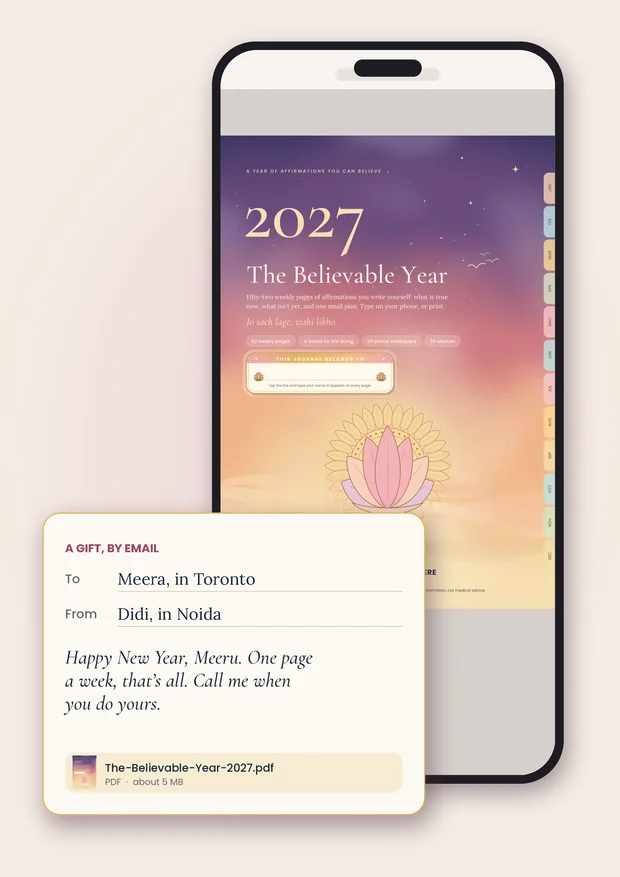
Made to be given
A gift that reaches anywhere in the world, by email
For the sister in Toronto, the best friend in Dubai, the cousin in Melbourne, the Secret Santa you drew at work. No address to ask for, no courier, no customs, no wondering which shops deliver there. Just a file, and a few lines from you.
- Buy it with your own email. It downloads straight away.
- Write them a note in the email or message, the way you would on a card.
- Attach the file and send it by email or WhatsApp. It arrives in a minute, wherever they are.
One copy is for one household, or the one person you give it to: once you have sent it, it is theirs. The gift note shown is only an example.
128 pages, one file
What is inside
Every line and box is a real form field, so the book fills itself in on your phone and saves into your copy. Tap a month on the edge of any page to jump there. Nothing to unzip and nothing else to download.
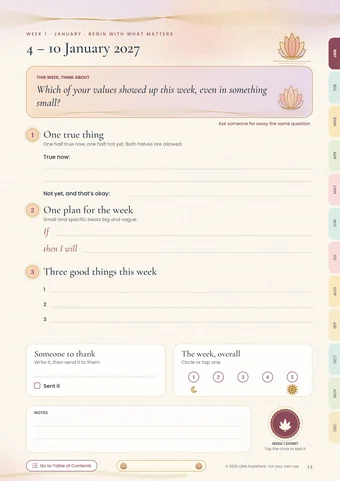
One true thing, one plan, three good things and one person to thank. A new question every week.
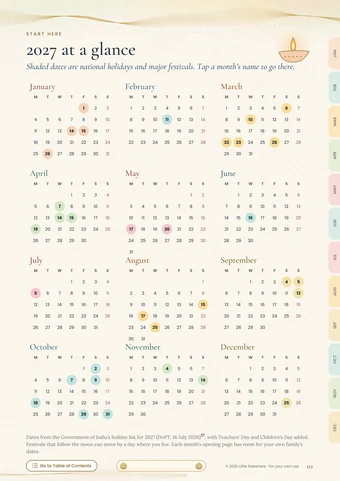
A theme for each month, its calendar with India’s 2027 holidays, a look back and one plan.
India has more new years than any calendar. Each one is marked as a day to start again, on its month’s opening page and its week’s page, so a missed month never ends the book.
One question a month for a parent or grandparent, with room for their answer in their own words.
A card shaped like a phone screen: pick a week and its question is written in for you (in Adobe Acrobat Reader and Chrome), add your answer, and send it to someone far away.
A vision board that shows how you’ll get there, not only where. Shaped like a phone screen.
A lock screen and a home screen for every month, each with its own line and a word you can change, plus one for a line of your own.
Mornings, nights and bad days, plus a start-again page, each with a button to clear it and use it again, and a page that shows how to fit them into your day.
What matters to you, your best possible 2027, and one wish, done the way research says works.
Tap the circle when the week is done and a painted lotus seal appears. At the year’s end Chrome and Adobe Acrobat Reader count your seals for you; in other apps you count them.
Your 2027 in twelve lines, a note for 1 January 2028, and your whole year on one phone screen.
Type your name once on the cover and it appears on a little name plate at the foot of every writing page. Everything you type shows in blue ink, so your words stand out.
The page people will screenshot
A vision board for the doing
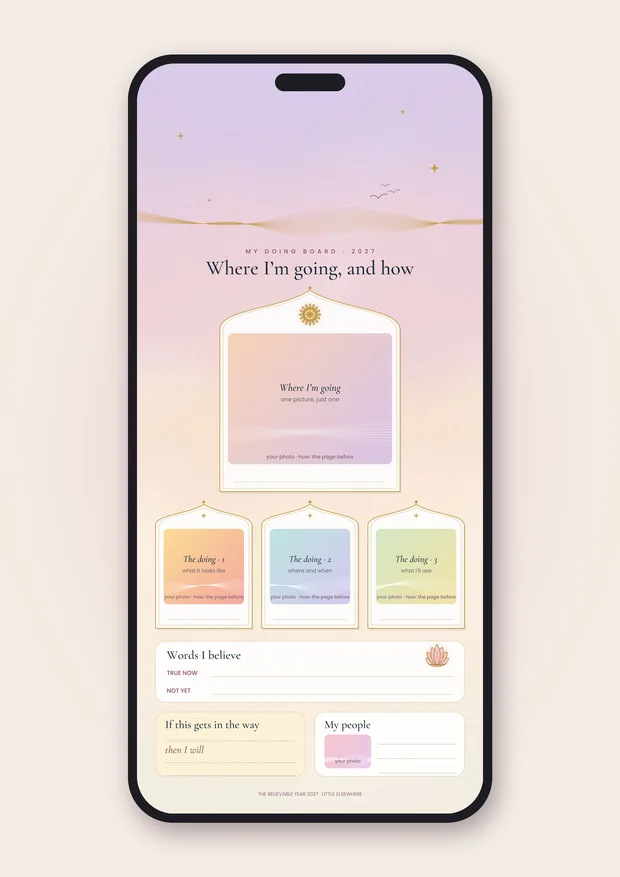
From the book · page 9
One picture of where you’re going. Three of how.
In one study, students who pictured themselves studying did better than students who pictured only the good grade. So the board has one frame for the finish line and three for an ordinary Tuesday on the way there, plus the words you believe and your if–then plan. It is shaped like a phone screen, with the top kept clear for your clock, so a screenshot becomes your lock screen.
One thing to know: phone PDF apps cannot put a photo onto a page yet. On a laptop, Adobe Acrobat Reader can (Chrome and Preview can’t). On a phone, screenshot the board and add your photos with the Photo sticker in an Instagram story, then save it without posting. The FAQ below walks you through it.
Look inside
Six pages from the book
Swipe to see inside · tap any page to zoom
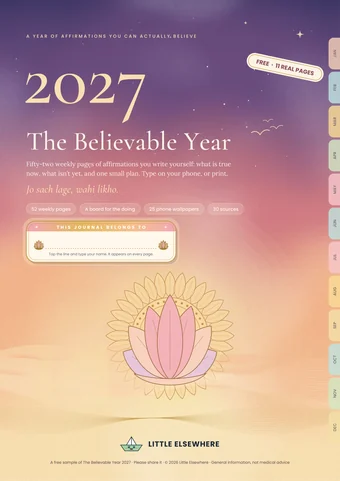
Free, no email needed
Read 11 real pages first
2027 at a glance with India’s holidays, January’s opening page, the first weekly page, a morning page, the doing board and January’s phone wallpaper, exactly as they appear in the book. Type into them on your phone, or print them. If those 11 pages are useful on their own, they have already done their job.
A 13-page PDF · about 1.0 MB
One-time payment · yours to keep
The Believable Year 2027
₹249PDF · 128 pages · instant download
- 52 weekly pages and 12 month openers, with India’s 2027 holidays
- A doing board and 25 phone wallpapers, inside the same file
- Morning, night and bad-day pages for any day
- A painted seal for every week you finish, with one tap
- Restart days on India’s other new years, and a question a month for your elders
- 30 sources, and a plain page on how big the effects are
- Type on your phone, or print the pages you want
- Saved once to Drive or your phone, it keeps for years, with no shelf space needed
Good to know
Questions people ask before buying
When do I start?
The weekly pages begin on Monday 4 January 2027. The start-here pages (what matters to you, your best possible 2027, one wish and your doing board) work from the day you buy it. Buying it late in the year? Start on this week’s page: there are no streaks, and blank weeks are allowed.
What if I stop by February, like every other journal?
Then you start again, and the book is built for it. India has more new years than any calendar: Gudi Padwa and Ugadi, Vaisakhi and Vishu, Bihu and Poila Boishakh, Navroz, the Malayalam and Gujarati new years, your own birthday. Each one is marked in marigold on its month’s opening page and its week’s page, with a start-again page to go with it. Research on the “fresh start effect” found people are more likely to begin a goal on days like these. Nothing you skipped needs filling in.
Is this manifestation?
No. Nothing in it promises that money, love or luck will arrive because you wrote it down. In one set of surveys, people who believed in manifesting were more drawn to risky investments and more likely to report having been bankrupt. That is a link, not proof, but it is not a good sign. This book asks you to write what is true, make one small plan, and thank someone.
Will it work for me?
The effects in the research are small, and they vary from person to person. Writing about what you value, planning with “if this, then I will”, and writing to thank someone each have good evidence behind them. None of it is magic, and the book says so on page 4. Read the eleven free pages first and see whether it suits you.
Do I need a printer?
No. Every line and box is a real PDF form field, so you can type on your phone or computer and save, and your answers stay in your copy. Print only the pages you want on paper. For typing, the free Adobe Acrobat Reader works best, on Android, iPhone, Windows and Mac. Apple’s Preview and the iPhone’s Files app open it too, but typing there can lag: words sometimes only redraw when you turn the page. Google Drive’s preview only shows the pages.
What happens to it when 2027 is over?
Nothing goes in a cupboard or the raddi. A paper diary ends up on a shelf or in a box; this one sits in your Google Drive or on your phone, takes no space, and moves with you when you change phones or houses. Save a copy to Drive or email it to yourself on the first day (the download link in your payment email works for about 24 hours), and your 2027, in your own words, is there whenever you want to reread it.
Can I put my own photos on the doing board?
On a laptop, yes: open the book in Adobe Acrobat Reader (free), click any frame and choose a photo. Chrome, Edge, Safari and Apple’s Preview can’t put pictures into any PDF, so use Acrobat Reader for this one. On a phone, the PDF can’t take photos (no phone PDF app can do that yet), but Instagram can, and you don’t have to post a thing. Type your words into the board and take a screenshot. Open Instagram, start a story and pick that screenshot. Tap the sticker button, choose Photo, and drop your pictures into the frames: pinch to resize, tap to make one a circle or a heart. Add a few emoji while you’re there. Then save it to your phone instead of sharing it (the download arrow, or the … menu, depending on your version) and set it as your lock screen. Nobody sees it but you. Or print the board and paste real photos in.
How do the phone wallpapers work?
Every month has a pair, each page already shaped like a phone screen. The lock screen carries that month’s line, its word and its dates, with the top left quiet for your clock. The home screen is calmer, just the art and one word, because your apps sit on top of it. Don’t like my word for the month? Tap it and type your own. The last one is blank, for a line you write yourself. Open the page, let it fill the screen, take a screenshot and set it. There is nothing extra to download or unzip.
Is it religious?
No. The art draws on Indian craft (the lotus, the sun, the crescent moon, arched windows), and the words are written for anyone, of any faith or none.
Is this therapy or medical advice?
No. It is a journal for ordinary days. If you have felt low most of the day, nearly every day, for two weeks or more, please talk to a doctor or counsellor. Tele MANAS, the Government of India’s free mental-health helpline, is 14416 or 1800-89-14416. The book has a page about this too.
Can I give it as a gift, even to someone abroad?
Yes, and it is one of the nicest ways to use it. Pay with your own email, then forward the file to them by email or WhatsApp with a few lines of your own (send the fresh copy, before you type in it, so theirs starts blank). It reaches Toronto, Dubai or Melbourne as easily as the next building: no address, no courier, no customs, no checking which shops deliver there. One copy is for one person, so once you have sent it, it is theirs. India’s holidays are marked; everything else works wherever they live.
Is it good for Secret Santa?
Yes. It costs ₹249, arrives by email, and is the same price wherever your Secret Santa lives. Ten minutes a week is a gift that does not end up in a drawer.
Can I share it?
Each copy is for one household: yours, or the one person you give it to. Please do not send it to more than one person or post it in groups. The free sample is the file to forward to everyone, and I’d love you to.
How do I pay and get the file?
By UPI, card, net banking or wallet, whichever suits you on the payment screen. The download opens straight after payment and a copy is emailed to you. Nothing after 30 minutes? Email littleelsewhere.help@gmail.com with your payment reference (the UTR or order ID).